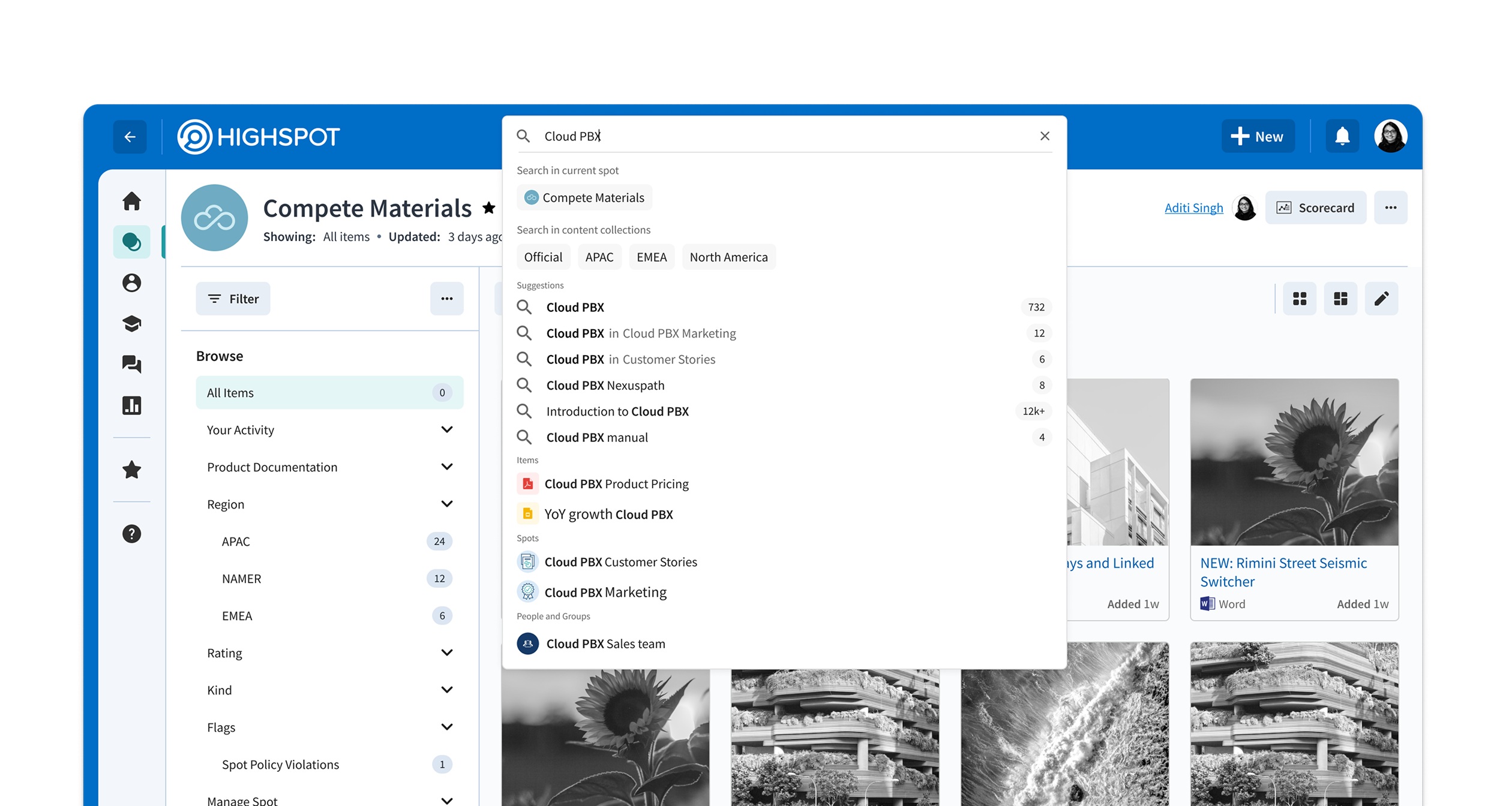
Open access — all content, no context
Open access to everything made finding anything harder
In Highspot, content lives in folder-like constructs called Spots. Large organizations accumulate hundreds of them — organized by team, region, product, or some combination of all three.
Reps with access to almost all of it face a paradox of choice. Every search surfaces results from across the entire org. The signal is buried in noise.
This isn't a rep problem. It's a structure problem. And it costs time that could be spent selling.
Content Collections — grouping related Spots
First, a structural layer: Content Collections
Before we could scope search, we needed to introduce a meaningful organizational unit above the Spot level.
We introduced Content Collections — admin-defined groupings of related Spots. Once a Spot belongs to a Collection, every item inside it inherits that association automatically. No additional decisions required from content owners.
This made Collections especially valuable for organizations that structure content by sub-org, product line, or region — the association becomes structural, not manual.
Admin defines a Collection
Groups related Spots into a single logical container
Items inherit automatically
Every item in a Spot is associated with its Collection — no manual tagging
Reps search within scope
Collections become the unit for scoping search
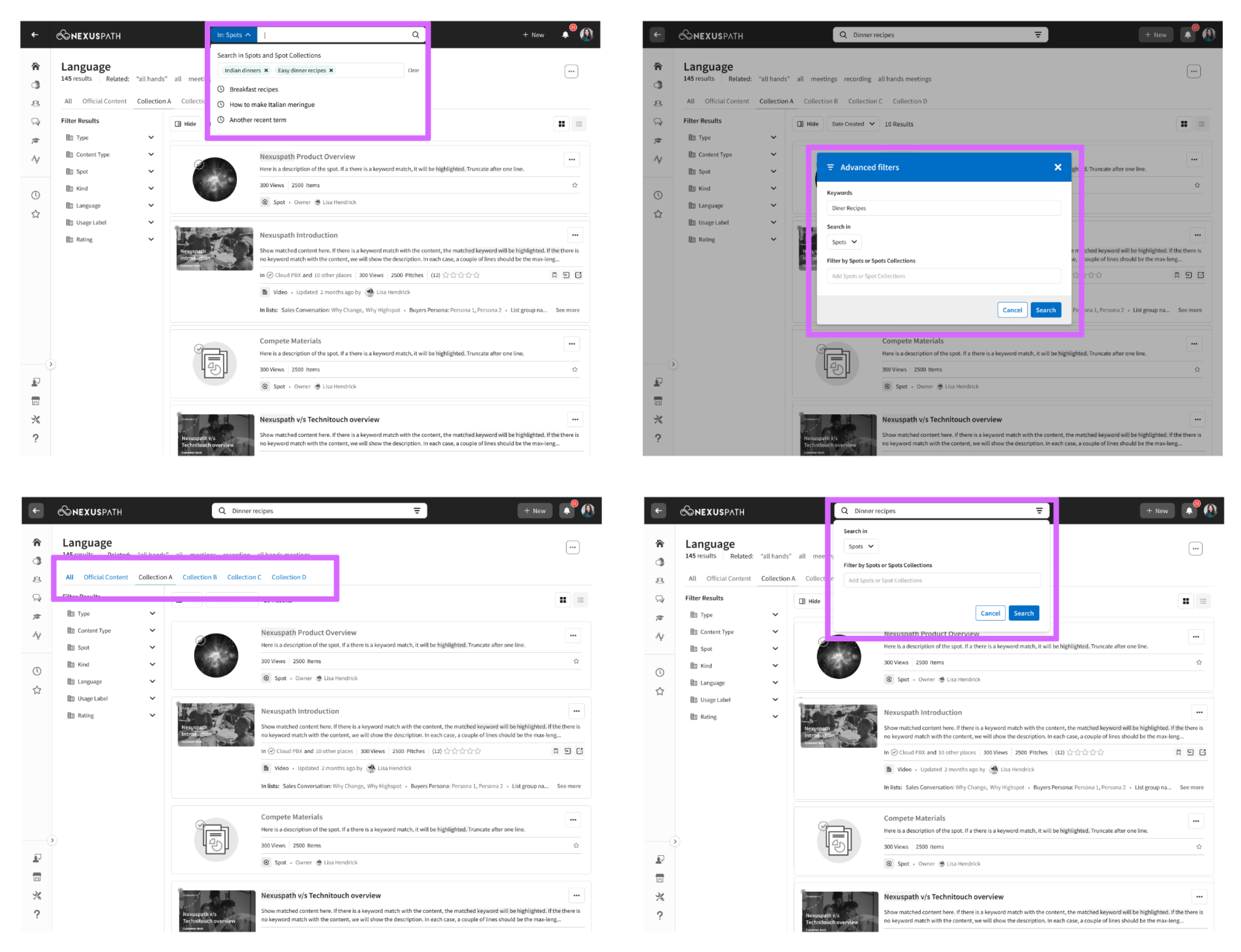
Early exploration — broad interaction patterns
Going far and wide revealed the wrong problem to solve
The first round of explorations designed for maximum flexibility — letting users scope to any Collection through the search dropdown. The logic was sound. The experience wasn't.
Surfacing every available Collection in the dropdown created a new layer of complexity at exactly the moment users needed speed. The search bar is prime real estate. It has to be fast and obvious.
Designing for all possibilities made the interaction feel like a configuration task.
Customer research — collection access patterns
Users have access to many. They care about a few.
We went back to customers with a focused question: how many Collections do users actually have access to, and how many do they realistically use?
Users had access to many collections — but would consistently engage with only 1–3. This grounded a core design principle: make frequent tasks easy, and less frequent tasks possible.
Users had access to many collections but functionally used 1–3. Surfacing every collection equally in the search dropdown would optimize for a scenario that rarely happens.
That meant splitting responsibility across two surfaces. The search dropdown stays clean and quick. The sidebar scales to edge cases.
Making frequent tasks easy
A small set of promoted collections would appear in the search dropdown — letting users scope their query before submitting, fast and contextual.
Making less frequent tasks possible
For less frequent cross-collection searches, filters in the results sidebar would handle it, exactly like any other facet filter
Design principles — guiding the interaction
Three principles that kept the interaction honest
The search dropdown is a dynamic surface — it responds to every click, every keystroke, every pause. The principles weren't aesthetic guidelines. They were constraints that kept the complexity from creeping back in.
Optimize for simplicity
Scoping must be quick and feel effortless. The dropdown is prime real estate — complexity scales through filters, not through the dropdown itself.
Fluid transitions
Every user action demands a response from the UI. The transitions between states matter as much as the states themselves — they create the perception of speed.
Bring relevance closer
Promote the Collections most likely to matter to this user in this context. Relevance is contextual, not neutral.
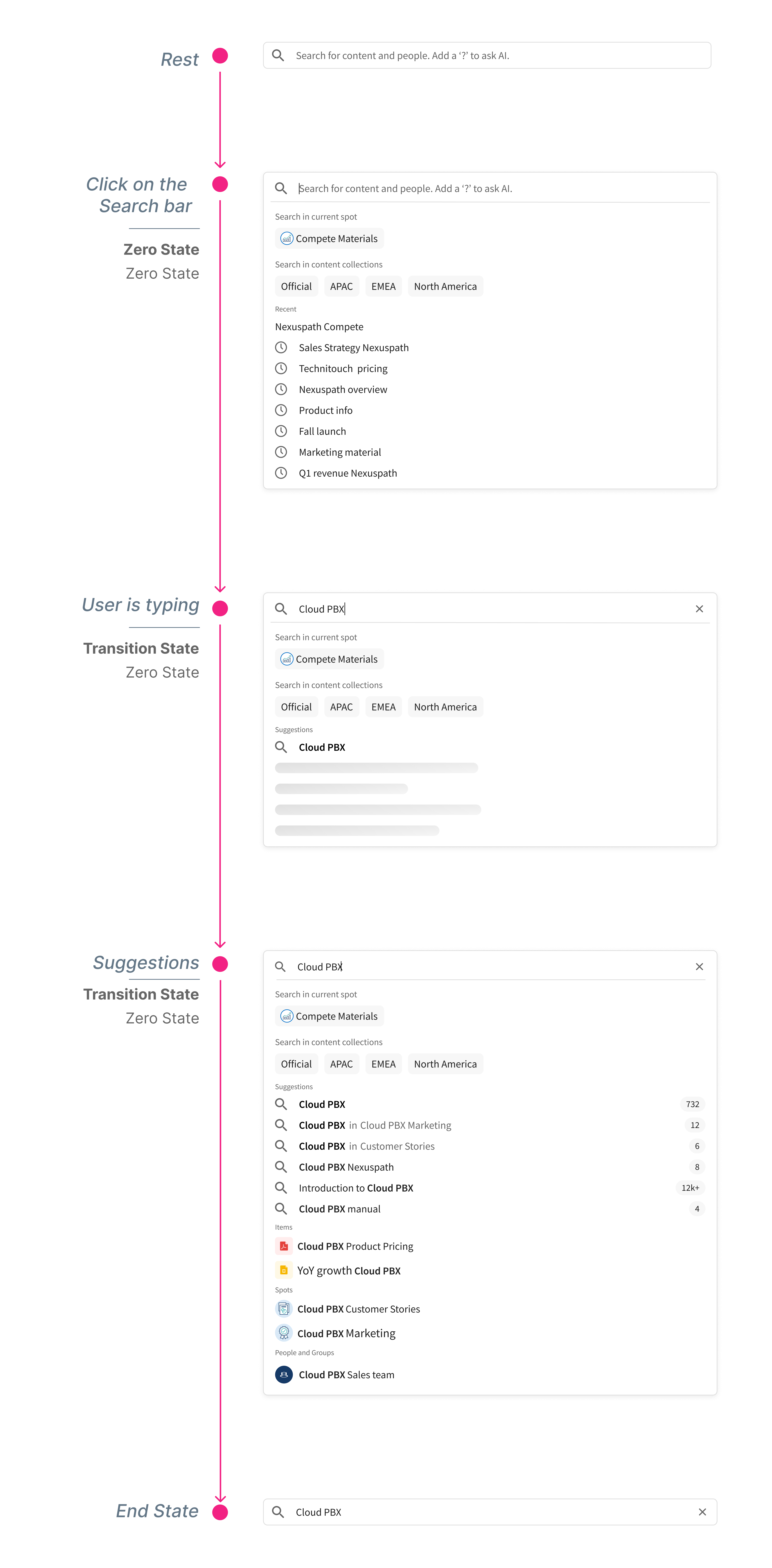
Rest and Zero states — before typing begins
Designing a dynamic interaction means designing every state
Search isn't a static interface. The dropdown surface is constantly in motion — responding to every click, every character typed, every pause. Getting the scoping interaction right meant defining each state precisely: what's shown, what's prioritized, and how the transition happens.
We aligned the team on four states before designing any of them.
Defining and aligning on states before designing them prevented scope creep back into the dropdown. Each state had a clear job. Nothing more.